

CCNA Security (IINS) Course
CCNA Security Certification
Cisco Certified Entry Network Technician certification is a pre-requisite to CCNA Security certification. The CCNA Security Certification course covers concepts from describing and listing mitigation methods for common network attacks, mitigation methods for Worm, Virus, and Trojan Horse attacks, describing the Cisco Self Defending Network architecture, securing Cisco routers using the SDM Security Audit feature, using the One-Step Lockdown feature in SDM to secure a Cisco router, securing administrative access to Cisco routers by setting strong encrypted passwords, securing administrative access to Cisco routers by configuring multiple privilege levels, securing administrative access to Cisco routers by configuring role based CLI and describing the features of TACACS+ and RADIUS AAA protocols to defining network based vs. host based intrusion detection and prevention and IPS technologies, attack responses, and monitoring options.
We are living in a time when data breaches are always in the news. This is why the CCNA Security certification is very important now. It is for IT professionals like security administrators and network security support engineers who have to keep their company’s assets safe.
Having this certification is not just good for your resume. It shows that you have the skills to build a security system, find threats and weaknesses, and stop attackers. When you learn how to install, troubleshoot, and monitor network devices, you make sure that all the data on a Cisco network is safe and secure.
Learn CCNA Security course
The CCNA Security course teaches you how to defend your network. We do not just talk about theory; we focus on ways to secure a business. You will learn how to:
- Defeat Common Attacks: Find and stop worm, virus, and Trojan horse attacks using methods.
- Secure Cisco Routers: Use the SDM Security Audit and One-Step Lockdown features to make your hardware safe.
- Manage Access Control: Set up encrypted passwords, configure multiple privilege levels, and use Role-Based CLI to ensure that only the right people have access to the network.
- Implement AAA Protocols: Learn about TACACS+ and RADIUS and how to use them for authentication and accounting.
- Defend the Perimeter: Learn about network-based and host-based intrusion detection, choose the IPS technologies, and set up effective attack responses and monitoring.
Start Your Certification Journey with Logitrain
To start your CCNA Security journey, you need to get the Cisco Certified Entry Network Technician (CCENT) certification. This certification gives you the foundation you need before you can move on to security training.
Why Choose Logitrain?
At Logitrain, we know that security is an important job. That is why our training is not about slides. Whether you are at our Auckland, Wellington, or Christchurch centers or you are joining us online, you will get hands-on experience in our labs.
We teach you about the Cisco Self-Defending Network architecture so you can start your job with confidence and protect your company’s data from the beginning. Let us help you turn your interest in cybersecurity into a career.
This certification is beneficial for:
- Planning and design of secure networks
- Implementation and configuration of secure networks
- Verification and troubleshooting related jobs for network security
Candidates can achieve this certification by passing the following exam(s).
- Implementing Cisco Network Security (Exam 210-260)
The certification exam can be registered and attempted within 3 months of course/module completion at Logitrain training centre on weekdays during normal business hours (excludes public holidays)
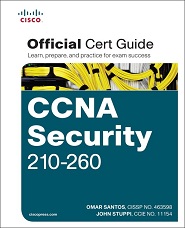
- Describe and list mitigation methods for common network attacks
- Describe and list mitigation methods for Worm, Virus, and Trojan Horse attacks
- Describe the Cisco Self Defending Network architecture
- Secure Cisco routers using the SDM Security Audit feature
- Use the One-Step Lockdown feature in SDM to secure a Cisco router
- Secure administrative access to Cisco routers by setting strong encrypted passwords
- Secure administrative access to Cisco routers by configuring multiple privilege levels
- Secure administrative access to Cisco routers by configuring role based CLI
- Explain the functions and importance of AAA
- Describe the features of TACACS+ and RADIUS AAA protocols
- Define network based vs. host based intrusion detection and prevention
- Explain IPS technologies, attack responses, and monitoring options
- Enable and verify Cisco IOS IPS operations using SDM
- Explain the different methods used in cryptography
This course is likely to add to the employment related skills of the participants. The skills developed are likely to be used in the course of being an employee or working in a business.
- University students
- Helpdesk operators
- Candidates entering IT job market
- First-level network support staff
- System engineers and account managers
| Class | Chapter | Contents |
| NETWORK SECURITY CONCEPTS | ||
| 1 |
Chapter 1 Chapter 2 Chapter 3
|
Understanding Network Security Principles Developing a Secure Network Defending the Perimeter
|
|
Labs Performed
|
Configuring Passwords Limiting the Number of Failed Login Attempts Setting a Login Inactivity Timer Configuring Privilege Levels Creating Command-Line Interface Views Protecting Router Files Configuring Privilege Levels Using Cisco SDM | |
| AAA, SECURING ROUTERS AND SWITCHES | ||
| 2 |
Chapter 4 Chapter 5 Chapter 6
|
Configuring AAA Securing the Router Securing Layer 2 Devices
|
|
Labs Performed
|
Configuring AAA Configuring AAA Authentication on Serial Interfaces Configuring TACACS+ Configuring RADIUS Defining the AAA Servers Configuring AutoSecure Configuring Syslog Logging with Cisco SDM Configuring SNMP with Cisco SDM Configuring NTP with Cisco SDM Configuring SSH with Cisco SDM Protecting Against an STP Attack Port Security Configuration Configuring Syslog Support Configuring Secure Shell (SSH) Configuring and Monitoring IEEE 802.1x Configuring Cisco IOS Firewall Applying ACLs to the Router Interface Preventing IP Spoofing with ACLs Restricting ICMP Traffic with ACLs Configuring ACLs to Filter Router Service Traffic Configuring ACLs for VTY Filtering SNMP Service Filtering RIPv2 Route Filterin | |
| SECURING SAN, VOICE AND DEFENDING NETWORKS | ||
| 3 |
Chapter 7 Chapter 8 Chapter 9 Chapter 10
|
Providing SAN Security Exploring Secure Voice Solutions Using Cisco IOS Firewalls to Defend the Network Using Cisco IOS IPS to Secure the Network
|
|
Labs Performed
|
Configuring Site-to-Site IPsec Configuring Connection Settings Selecting an IKE Proposal Selecting a Transform Set Selecting Traffic to Protect in the IPsec Tunnel Applying the Generated Configuration Monitoring the Configuration | |
| EXTENDING SECURITY AND AVAILABILITY | ||
| 4 |
Chapter 11 Chapter 12
|
Designing a Cryptographic Solution Implementing Digital Signatures
|
|
Labs Performed
|
Configuring Site-to-Site IPsec Configuring Connection Settings | |
| CRYPTOGRAPHY AND VPNS | ||
| 5 |
Chapter 13 Chapter 14
|
Exploring PKI and Asymmetric Encryption Building a Site-to-Site IPsec VPN Solution
|
|
Labs Performed
|
Selecting an IKE Proposal Selecting a Transform Set Selecting Traffic to Protect in the IPsec Tunnel Applying the Generated Configuration Monitoring the Configuration | |
We have the following equipment available for the CCNA Security course:
- Cisco ASA 5506-K9 FirePOWER Service Security Appliance
- Cisco ASA 5505-BUN-K9 Security Appliance
- Cisco Catalyst 2950/3550 Switches
- Cisco ISR 2811 Routers
“We have helped thousands achieve Cisco Certifications, let us help you”
– Murad Tanvir, Double CCIE #17081 Founder and CEO Logitrain

Includes Official Exam Fee
Take the certification exam within 3 months of course / module completion

100% Money Back Guarantee
Training fee is fully refundable if you are not satisfied with the training

Includes Course Material
Course material in hardcopy is included for you to keep for reference and support

Includes Practise Questions
Practise questions are included to assist you in preparing for the official exam

Highly Skilled Trainers
Our trainers are highly skilled with expertise and extensive hands-on experience

Our Price Beat Guarantee
Relax, we will beat competitor’s advertised price. Our course has no extra costs
DATES, LOCATIONS & PRICES

| Location | Type | Duration | Price | Dates | |
|---|---|---|---|---|---|
| Location | Type | Duration | Price | Dates |













Accreditations