

Implementing Cisco Video Network Devices, Part 2 (CIVND2) Course + Exam
Implementing Cisco Video Network Devices, Part 2 (CIVND2) Certification
The CIVND2 Training Course – Implementing Cisco Video Network Devices Part 2 – builds on CIVND1 and provides advanced skills in deploying and managing Cisco video network devices. Whether you are attending a meeting in Auckland or just checking in from your home office in Christchurch, the video has to work. Our Cisco Collaboration training will teach you how to make that happen.
We are past the basic setups now. To do it right, we need to create environments that use intelligence to get rid of background noise, focus on the person speaking, and connect our physical and digital offices.
What You Will Learn
We focus on the skills that really matter to businesses in New Zealand:
- Assessing what a company needs: You will learn how to figure out what a company needs, from how much network bandwidth they have to how the lighting and sound will affect things.
- Modern media and protocols: You will get to try out the video codecs and formats that let us have high-definition video on home internet connections that can be slow.
- The Backbone (Infrastructure): You will get to know exactly how cameras, screens, and Cisco RoomOS devices talk to the Webex Cloud and your internal systems. It is about understanding how all the hardware and software pieces fit together to create a seamless experience.
- Maintenance and Troubleshooting: You will become the go-to person for fixing Cisco UC solutions. When glitches happen or things go sideways, you will not just be guessing; you will have the know-how to step in and get everything back on track quickly.
The Discovery Lab Advantage
We know that you learn better by doing things, not just reading about them. This course has our special Discovery Labs, a place where you can interact with the Cisco technology, build it, try it out, and fix it in a space with expert guidance.
Why Train with Logitrain?
- Work with Cisco equipment: You can come to our offices in Auckland, Wellington, or Christchurch to work on real Cisco hardware, or you can join us live online from anywhere in New Zealand.
- Learn from experts: Our teachers are Cisco-certified professionals. They are currently designing and setting up hybrid workspaces in the real world.
- We take care of everything: One price covers your instructor-led training, your digital course materials, and your Cisco exam fee so you can focus on getting your Cisco certification.
Ready to Move Up in Your Career?
If you are an IT professional or a graduate who wants to specialize in networking training, this is a smart move. There are more jobs available in New Zealand now for people who can manage Cisco video network devices and collaboration solutions than ever before.
- Training: get practical technical skills
- Receive a certificate of course attendance
- Small class size: increased instructor interaction
- Authorised test centre: exams taken at our premises
- More hands-on: 6 weeks remote lab access included
- Expert trainers: imparting real world experience
- Working knowledge of basic IP networking
- Knowledge of video conferencing and streaming fundamentals
Candidates can achieve this certification by passing the following exam(s).
- 210-065
The certification exam can be registered and attempted within 3 months of course/module completion at Logitrain training centre on weekdays during normal business hours (excludes public holidays)
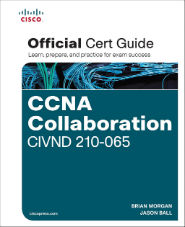
- Video Concepts
- Endpoint Configuration
- Troubleshooting and Support
- Conferencing Concepts
This course is likely to add to the employment related skills of the participants. The skills developed are likely to be used in the course of being an employee or working in a business.
- Describe the functional components of video solutions
- Describe video product models
- Describe environment recommendations
- Implement desktop endpoints and surveillance cameras
- Describe features and functions
- Describe troubleshooting methodologies
- Identify endpoint issues
- Collecting system information
- Manage configuration
- Implement key CLI commands
- Monitor events and alerts
- Describe multi-point control units
- Describe conferencing features
- Describe scheduling vs adhoc vs on demand features
“We have helped thousands achieve Cisco Certifications, let us help you”
– Murad Tanvir, Double CCIE #17081

Includes Official Exam Fee
Take the certification exam within 3 months of course / module completion

100% Money Back Guarantee
Training fee is fully refundable if you are not satisfied with the training

Includes Course Material
Course material in hardcopy is included for you to keep for reference and support

Includes Practise Questions
Practise questions are included to assist you in preparing for the official exam

Highly Skilled Trainers
Our trainers are highly skilled with expertise and extensive hands-on experience

Our Price Beat Guarantee
Relax, we will beat competitor’s advertised price. Our course has no extra costs
DATES, LOCATIONS & PRICES

| Location | Type | Duration | Price | Dates | |
|---|---|---|---|---|---|
| Location | Type | Duration | Price | Dates |